TP-Link AC1200 Router Online Shop in Bangladesh
A TP-Link AC1200 router is a dual-band wireless networking device that delivers combined speeds of up to 1200 Mbps (300 Mbps on 2.4 GHz + 867 Mbps on 5 GHz), providing excellent performance for modern homes and offices. These routers offer the perfect balance of speed, coverage, and affordability, making them ideal for households with multiple devices requiring simultaneous HD streaming, online gaming, and web browsing without buffering or lag.
Top TP-Link AC1200 Router Brand in Bangladesh
TP-Link dominates the AC1200 router segment in Bangladesh with its highly acclaimed Archer series, including popular models like the Archer C54, Archer C6, Archer C50, and Archer A6. The tp-link archer c6 ac1200 wireless router and similar models feature dual-band technology, gigabit ethernet ports, advanced security protocols, and intuitive management apps that make them the preferred choice for users seeking reliable, high-performance networking solutions at competitive prices.
What is the Price of TP-Link AC1200 Router in Bangladesh?
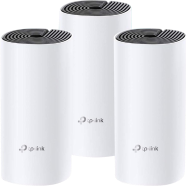
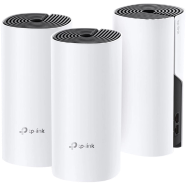
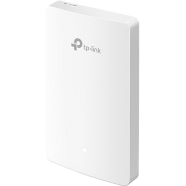
The tp-link archer c6 ac1200 gigabit router price ranges from TK. 2,000 to TK. 18,000 in Rokomari.com, depending on the model and additional features. Standard dual-band AC1200 routers like the tp-link archer c54 ac1200 dual band wi-fi router start around TK. 2,419-3,649, while mesh Wi-Fi systems and access points with AC1200 technology cost TK. 3,951-6,900, and multi-pack mesh configurations can reach TK. 7,823-15,136, offering whole-home coverage with seamless roaming capabilities.
Best TP-Link AC1200 Router Products in Bangladesh
Below are the top 3 TP-Link AC1200 router products available in Rokomari.com, carefully selected based on search popularity and customer satisfaction:
| Product Name | Price | Link |
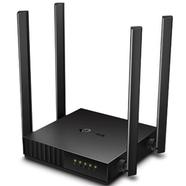
| TP-Link Archer C54 AC1200 Dual-Band Wi-Fi Router | TK. 2,419 | View Product |
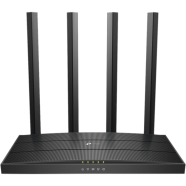
| TP-Link Archer C6 AC1200 Dual-Band Gigabit Wi-Fi Router | TK. 3,649 | View Product |
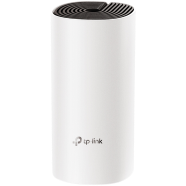
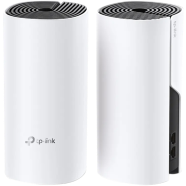
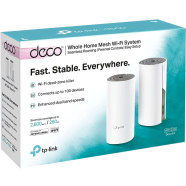
| TP-Link Deco E4 AC1200 Whole Home Mesh Wi-Fi System Router (1-Pack) | TK. 3,951 | View Product |
How to Choose TP-Link AC1200 Router Before Buying (Buying Guide)
1. Router Type: Traditional vs. Mesh System
Decide between traditional routers like the tp-link archer c50 ac1200 dual band wi-fi router and mesh systems like Deco E4/M4 based on your coverage needs. Traditional AC1200 routers work well for apartments and small homes (up to 1,500 sq ft), while mesh systems provide seamless whole-home coverage for larger properties (2,000+ sq ft) by using multiple units that eliminate dead zones.
2. Ethernet Port Specifications
Consider whether you need gigabit ethernet ports for wired connections to gaming consoles, smart TVs, or desktop computers. The tp-link archer c6 ac1200 wireless mu-mimo gigabit router offers gigabit ports for maximum wired speeds (up to 1000 Mbps), while standard models like Archer C54 provide fast ethernet ports (up to 100 Mbps) suitable for most home internet plans.
3. Device Count and Usage Patterns
Evaluate the number of connected devices and usage intensity in your household to ensure adequate performance. AC1200 routers comfortably handle 15-25 devices with light to moderate usage, making the archer c54 tp-link ac1200 dual-band wi-fi router perfect for families streaming HD content, video conferencing, and browsing simultaneously across multiple rooms.
4. Additional Features and Budget
Compare features like MU-MIMO technology for simultaneous data streaming, beamforming for targeted signal delivery, parental controls, and guest network support. Budget-friendly models like the tp-link archer a6 ac1200 wireless gigabit router (TK. 2,419-2,690) offer essential features, while premium options (TK. 3,649-5,865) include advanced capabilities like USB ports and enhanced security protocols.
Frequently Asked Questions (FAQs)
Q1: Is an AC1200 router enough?
A: Yes, an AC1200 router is sufficient for most households with internet plans up to 300 Mbps and 15-25 connected devices. It handles HD streaming, online gaming, video conferencing, and general browsing excellently, making it ideal for families and small offices with typical usage patterns, though heavy users with gigabit internet may benefit from higher-spec AC1750 or Wi-Fi 6 routers.
Q2: How to connect to TP-Link AC1200 router?
A: Connect your tp-link archer c6 v4.0 ac1200 mbps gigabit dual-band wi-fi router to your modem using an ethernet cable, then power it on and wait for the LED indicators to stabilize. Use your smartphone or computer to find the default Wi-Fi network name (printed on the router label), connect using the default password, and access the web interface at tplinkwifi.net to complete setup by creating your custom network name and secure password.
Explore More Networking Products from Rokomari.com
Router Brands: TP-Link | Netgear | D-Link | Cudy | Redmi | Toto Link
Router Categories: Gaming Router | 2 Antenna Router | 3 Antenna Router | 4 Antenna Router | Deco Router | TP-Link 3 Antenna Router | AC1200 Router | Gigabit Router
Browse our complete collection of Networking and Wi-Fi Accessories and Routers to find everything you need for a powerful, reliable home or office network!





 Hello, Sign in
 Cart
Cart